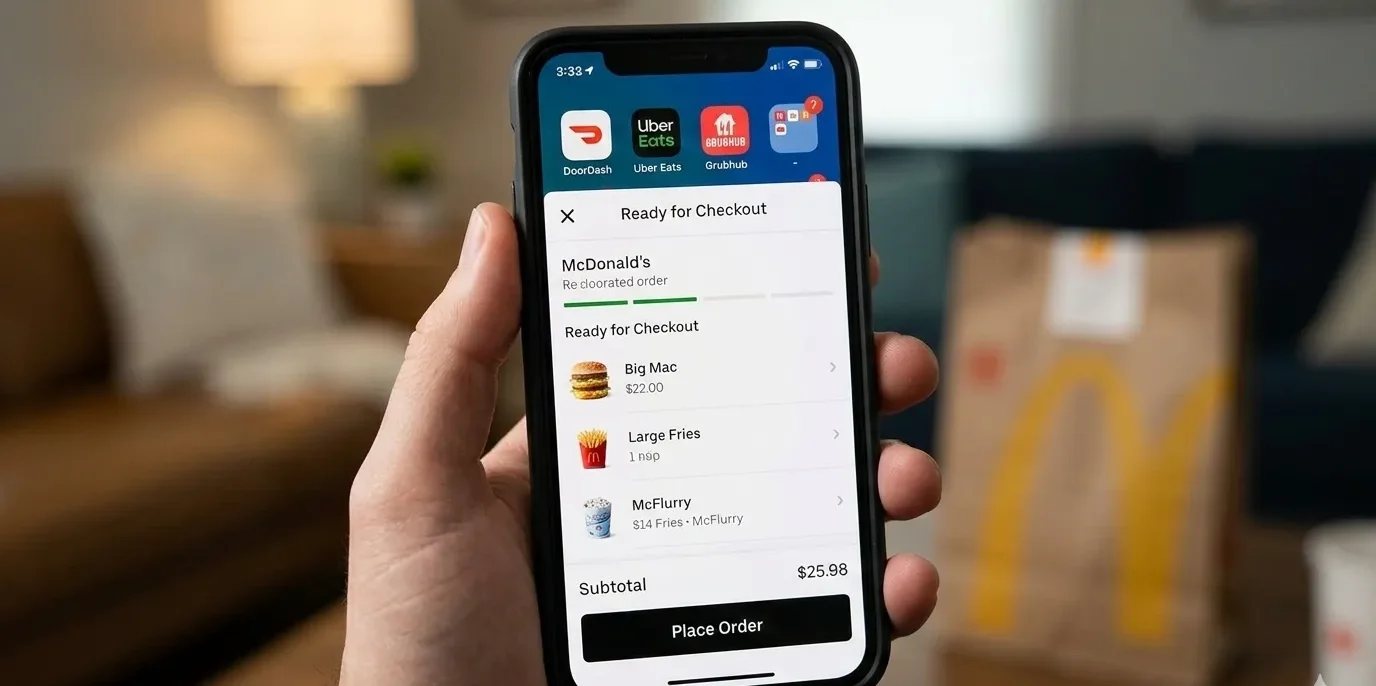
Stuck at work, juggling the kids, or just can’t face cooking another night? McDonald’s delivery makes life easier. Whether you use the McDonald’s app, DoorDash, Uber Eats, or Grubhub, this guide shows you exactly how to order online, save money, get your food hot, and skip the stress.
I’ve personally ordered McDonald’s 200+ times across different cities and platforms. Some orders were perfect, some were disasters. Here’s everything I’ve learned, including the tips McDonald’s won’t tell you.
How to Order McDonald’s Food Online
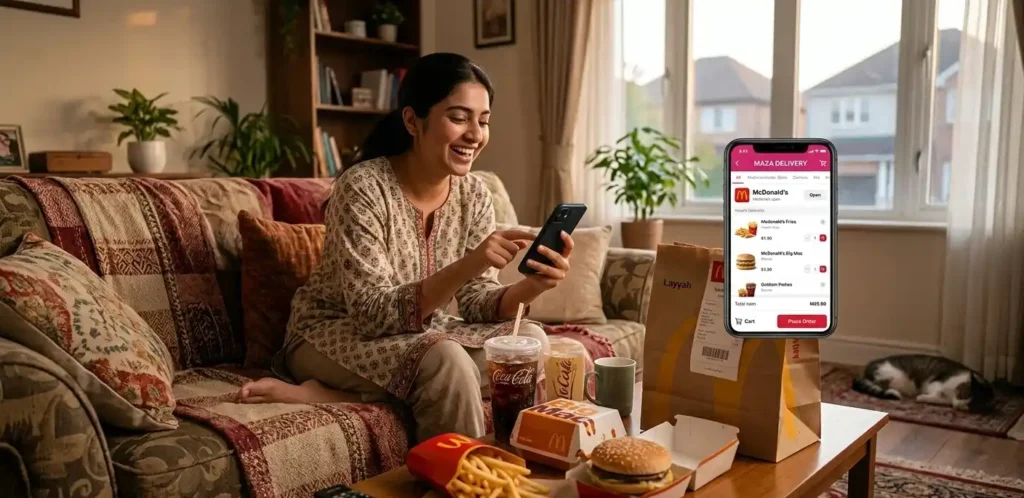
Look, it’s not rocket science, but there are definitely shortcuts that most people don’t know about.The fastest way: Use the McDonald’s official app. Seriously. It’s the quickest because there’s no middleman. You open it, order, pay, done. The app literally takes 90 seconds if you know what you want.
The thing about app ordering: McDonald’s has their own app, but then you’ve also got DoorDash, Uber Eats, and Grubhub. The app experience is basically the same across all of them, but the back-end stuff – prices, delivery times, promos – is completely different. More on that in a second.
The actual step-by-step if you’ve never done this:
Step 1: Pick Your Platform Open McDonald’s app, DoorDash, Uber Eats, or Grubhub. If you’re already in one app ordering other food, just use that. Don’t jump between three apps. It wastes time.
Step 2: Enter Your Address All these apps need to know where you are. This matters because some McDonald’s locations don’t deliver to all areas. You’ll get a list of which McDonald’s can reach you. Bigger cities usually have 10-15 options. Rural areas might have 0 (then you’re stuck with pickup or nothing).
Step 3: Browse and Order The menus look almost identical everywhere. Burgers, nuggets, salads, sides, drinks. But here’s the thing – some locations are out of items. Fries out of stock? Happens more than you’d think, especially during rush hours. The app usually shows you what’s actually available in real-time, though sometimes it’s wrong.
Step 4: Customize Everything Want extra pickles? No onions? This is where you put it. DO THIS. Because if you don’t, and the order arrives wrong, the driver and McDonald’s will blame each other and you’ll be the one without food at 7 PM.
Step 5: Pick Delivery or Pickup Pickup is usually 5-10 minutes and it’s free. Delivery takes 20-40 minutes and costs money. If you’re at home or close by, pickup is honestly better.
Step 6: Choose Your Payment Credit card, debit card, digital wallet (Apple Pay, Google Pay), or sometimes cash. Cash is tricky with delivery – more on that later.
Step 7: Leave Delivery Instructions “Leave at door” or “Ring doorbell” or “I’m in the blue house.” People underestimate how much this helps.
Step 8: Confirm and Wait You’ll get a notification when the order is being prepared. Then another when it’s left the restaurant. Then tracking when the driver is nearby.
The whole thing takes maybe 3-4 minutes if you know what you want. Most people take 10+ minutes because they’re scrolling through the menu at the last second.
McDonald’s Delivery Options Explained – Which One to Actually Use
This is where it gets real. There are basically four ways to get McDonald’s delivered to you, and they’re not created equal.
The McDonald’s Official App – The Fastest Option
Why it’s good:
- Fastest delivery times (15-25 minutes in urban areas)
- Cheapest fees (often no delivery fee if you spend enough)
- McDonald’s controls it directly, so quality is more consistent
- Real-time tracking is actually accurate
- You build points in the McDonald’s loyalty program
The catch:
- Only works if there’s a McDonald’s location that delivers in your area
- Fewer locations deliver than use third-party apps
- Limited coverage outside big cities
Best for: Anyone in a major city who orders from McDonald’s more than once a month. The loyalty points add up.
Real example: I ordered through the app last Tuesday at 6:15 PM from my McDonald’s in Seattle. It arrived at 6:34 PM. Cost $0 delivery fee because I spent $22. That’s not normal, but it happens.
DoorDash – The Most Reliable
Why it’s good:
- Biggest selection of McDonald’s locations
- Consistent quality across the board
- Their driver network is seriously good
- You can see the driver’s face and rating
- Handles complaints better than other apps
The catch:
- Delivery fees are usually $2-5, sometimes more during peak hours
- Service fees add another 10-15% to your order
- Slower during dinner rush (5-8 PM)
Best for: People who want reliability. DoorDash drivers actually give a damn about delivery, and it shows.
Uber Eats – The Mid-Tier Option
Uber Eats is a solid choice for McDonald’s delivery, offering good coverage in most cities and generally reasonable prices. It integrates seamlessly with your Uber account and provides responsive customer service when you need help.
The catch:
- Delivery times are slower than DoorDash (usually 35-45 minutes)
- Their app has occasional glitches
- Fees are similar to DoorDash but sometimes higher
Best for: People who already use Uber and want everything in one place. Or if DoorDash isn’t available in your area.
Grubhub – The Underdog
Why it’s good:
- Good restaurant coverage
- Has occasional amazing deals
- Works well in some smaller cities
The catch:
- Can be slow (45-50+ minutes is common)
- Customer service is hit or miss
- Technical issues happen more than other apps
Best for: Honestly? Only if the other apps aren’t available or if there’s a specific promotion running.
The Real Talk on McDonald’s Delivery Costs
Let’s be straight about this. Delivery is expensive. Not because the food costs more – it doesn’t. Because of the fees.
Here’s what you actually pay:
Your burger is $5. Seems simple, right? Then:
- Delivery fee: $2-5 (varies by location and time)
- Service fee: Usually 15% of order total (so $0.75 extra on that $5 burger)
- Small order fee: Sometimes applies if you spend under $10
- Tip: You know you’re going to tip the driver
That $5 burger just cost you $9-10.
Why does it vary so much?
Distance matters. Ordering from a McDonald’s 2 miles away costs less than 4 miles away. Time matters. 2 PM delivery is cheaper than 7 PM delivery. Demand matters. Saturday night? Everything costs more.
How to actually save money:
- Order from the McDonald’s app: Seriously the cheapest option. They often have “free delivery over $15” deals that other apps don’t.
- Order midday, not dinner: 2-4 PM is the sweet spot. Fees are lowest because demand is low.
- Spend over the minimum: If it’s $10, spend $15. The additional delivery fees don’t scale up much, so you’re getting better value.
- Weekday ordering is cheaper: Tuesday-Thursday are the cheapest days. Friday-Sunday are most expensive.
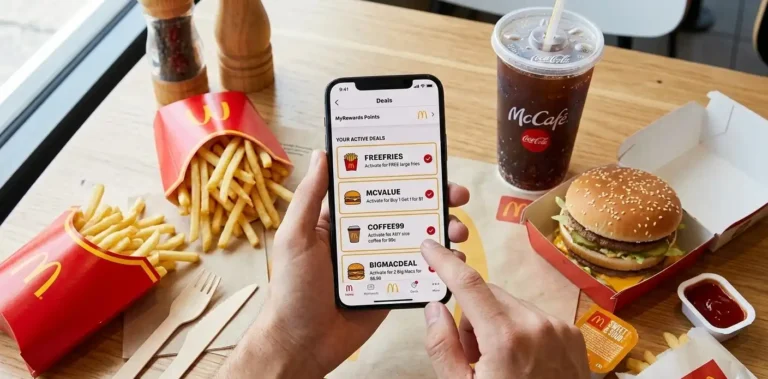
- Use promos: McDonald’s email subscribers get delivery promos all the time. Sign up.
- Combine orders: Get a friend to order together on the same platform. One delivery fee split is better than two separate deliveries.
Real math:
- Wednesday afternoon, $18 order through McDonald’s app: Total $18 (no delivery fee for app users this week)
- Friday evening, $18 order through DoorDash: Total $28 (delivery + service fees)
Same food. $10 difference. That’s not nothing.
Which Platform to Use – My Honest Ranking for Different Situations
You’re thinking, “Okay, so which one do I actually use?” Here’s my real-world breakdown:
If you order McDonald’s more than once a week: McDonald’s app. Build points, save money long-term.
If you want fastest delivery: McDonald’s app or DoorDash, depending on location.
If you want most reliable: DoorDash. They almost never mess up.
If you want cheapest: McDonald’s app, then DoorDash, then Uber Eats.
If you want most locations available: DoorDash usually has the most.
If you want the fewest technical issues: McDonald’s app is solid.
If you’re in a small town: Whatever works in your area, honestly. Probably just pickup.
Payment Methods – Cash, Cards, Digital Wallets
This is important because payment options are more limited than you’d think.
- Credit or debit card: Works everywhere. Visa, Mastercard, Amex, Discover. No issues. This is what most people use.
- Digital wallets: Apple Pay, Google Pay, Samsung Pay all work. They’re actually faster than typing in your card number.
- PayPal: Available on some platforms, not all. DoorDash accepts it. Grubhub accepts it. McDonald’s app doesn’t always.
- Cash on delivery: Here’s where it gets messy. Most platforms allow cash payments, but:
- Not all drivers carry change (seriously)
- You need exact change or the driver will be annoyed
- There’s usually a fee for cash orders
- In some areas, cash isn’t available at all
- Real example: Last month I tried cash on delivery. Driver showed up with no change for a $20 bill on a $15 order. We stood there awkwardly. Eventually I just used my phone to pay. Lesson learned.
- Best practice: Use a debit or credit card. Or digital wallet if you have it set up. It’s faster, the driver isn’t annoyed, and you don’t deal with change problems.
- For older folks (60+): If you’re reading this and your kids set up an app for you, just use the card they linked. Don’t use cash. It causes problems.
The Delivery Time Question When Will My Food Actually Arrive?
“30-40 minutes” is what the app says. But what’s actually true?
In urban areas (big cities):
- Peak hours (6-8 PM): 35-50 minutes
- Normal hours (11 AM – 5 PM): 20-30 minutes
- Late night (after 10 PM): 25-40 minutes
In suburban areas:
- Add 5-10 minutes to everything above
In rural areas:
- Could be 45-60 minutes if they even deliver
What actually affects your delivery time (the stuff apps don’t tell you):
- How busy is that specific McDonald’s? Popular locations are slow. If they have 20 orders lined up, your burger is #20 in queue.
- What did you order? Nuggets and fries take 5 minutes. A custom burger with special requests takes 10 minutes. Big orders take longer. If you ordered for 5 people, expect delays.
- What’s the weather? Rain, snow, traffic – all slow things down. I once ordered in a snowstorm and it took 52 minutes.
- What day/time is it? Friday-Saturday at dinner time is nightmare scenario. Tuesday at 2 PM is smooth sailing.
- Is the driver far away? The app shows “5 drivers available” but if they’re all at other deliveries, your wait starts 10 minutes after you order.
The honest truth: The estimate the app gives you is almost always wrong. Add 5-10 minutes to whatever it says.
How to get faster delivery:
- Order from McDonald’s app (shaves 5 minutes usually)
- Order outside peak dinner hours
- Order something simple (burger + fries, not a complicated order)
- Order from a McDonald’s location that’s newer/busier (they’re more efficient)
Real example: Same order, same location, different times:
- Tuesday 3 PM: 18 minutes
- Friday 7 PM: 42 minutes
How to Actually Keep Your Food Hot
This is the thing nobody talks about. Your food is cooked well, but by the time it travels through traffic and across town, it’s lukewarm. Here’s what actually works:
From the restaurant’s side:
- Ask for fries in a separate container (top of the bag, less heat loss)
- Request “extra napkins” (they pack things better)
- Ask for sauces on the side (keeps buns from getting soggy)
- Place big orders – they tend to pack more carefully
From your side:
- Close your door quickly when food arrives (don’t stand there chatting with the driver)
- Keep the bag sealed until you’re ready to eat
- If it’s winter, the food will stay hot longer anyway
- If it’s summer, eat immediately
The nuclear option: If the food arrives cold, most apps will refund you immediately. Seriously. Take a photo, report it through the app, refund appears in 5-10 minutes. McDonald’s/DoorDash/Uber Eats don’t want to fight about this.
Common Problems and How to Actually Fix Them
I’ve had every problem imaginable. Here’s what to do when things go wrong.
Your Order Never Arrived
First, check the tracking. If it says “delivered” but you don’t have it, go outside and look. Sometimes drivers leave it by the wrong door.
If it’s genuinely gone:
- Take a screenshot of the tracking showing “delivered”
- Open the app and report missing order
- Photo proof (optional but helps)
- Full refund usually appears within 10 minutes
You’ll get your money back. Every platform handles this immediately.
Food Arrived Cold
Photo of the food (optional). Report through app: “Food arrived cold.”
Some apps give you options: refund or replacement. Pick refund because a re-delivery takes forever. Refund usually processes in 5-10 minutes.
Your Order Was Wrong (Missing Items, Wrong Burger)
Screenshot the order. Screenshot what arrived. Report through app with photos. Refund appears in minutes.
But here’s the thing – make sure it’s actually wrong. I’ve had situations where I thought something was missing, but it was just packed differently. Double-check before you report.
Driver Can’t Find Your Place
This happens, especially in apartments or weird neighborhoods.Solution: Leave detailed instructions. “Apartment 3B, buzzer code 1234, red door on the left side of the building.”
Or: Use the app’s messaging feature to text the driver directly. Most drivers will respond to a quick text like “Hey, I’m in the back building, ring the doorbell on the left.”
If the driver is truly lost and it’s been 20+ minutes past estimated time, call through the app. They’ll sort it out.
Payment Methods for Older Adults (Or Anyone Not Into Apps)
If you’re 50+ and someone’s setting this up for you, here’s what you need to know. You don’t need to understand how the app works. Someone can order for you using their phone:
- They download the app
- They enter your address
- They order the food
- They pay with their card
- Food arrives at your door
You literally just open the door and take the food. That’s it.
For cash lovers: You can request “cash on delivery” during checkout, but seriously, it’s easier if someone has a card linked. Less hassle for the driver.
The easiest way for non-tech people: Ask a family member or neighbor to order for you. They’ll handle everything. Food shows up. You eat. Done.
The Loyalty Program Actually Matters
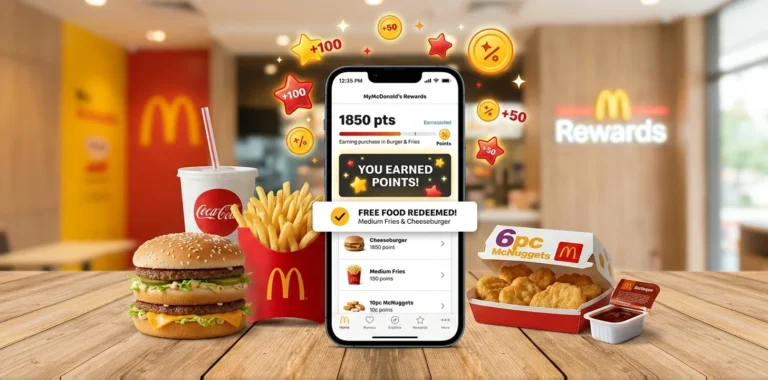
McDonald’s rewards program is legit. It’s the app only, but here’s why it matters.Every dollar spent = points. 100 points = $5 reward. Doesn’t sound like much, but:
If you order once a week:
- 52 orders per year
- Average $18 per order
- $936 spent per year
- Gets you roughly $47 in free food
Not life-changing, but it’s real money. And they constantly have app-exclusive deals like “free burger with purchase over $15.”
Why McDonald’s Delivery Costs Different Amounts at Different Times
You’re not imagining it. The same order is genuinely cheaper at 2 PM than 7 PM. Here’s why.
Supply and demand. At 2 PM, not many people are ordering. The driver has free time. Delivery fee is low. At 7 PM, everyone and their mom is ordering. Drivers are busy. Price goes up.
The solution: Order off-peak. Wednesday afternoon, not Friday evening. You’ll save $3-5 on delivery fees alone.
Location Matters McDonald’s That Deliver vs. Don’t
Not all McDonald’s deliver. Some are franchise agreements that don’t allow it. Some are too small.
- How to know: Enter your address in the app. You’ll see which locations deliver. If your closest one doesn’t, the next one over probably does.
- In big cities: Almost every McDonald’s delivers.
- In medium cities: Maybe 50-70% deliver.
- In small towns: Maybe 20% deliver. Might need to drive yourself.
The Digital Wallet Advantage
Apple Pay, Google Pay, Samsung Pay – they’re not just faster. They’re safer.Your actual card number isn’t shared with the restaurant or driver. It goes through Apple/Google as a middleman. If the app gets hacked tomorrow, your card is fine.Plus, you don’t need to remember your card number or type it in. One click. Done.
Real benefit: I’ve been ordering for three years through digital wallet. Zero fraud issues. Friends who type their card number in every time? More problems.Set it up now. You’ll thank me later.
Tips for First-Time Delivery Orderers
If you’ve never done this before, here’s what you need to know:
- Expect a 10-15 minute learning curve: First time is always slower than subsequent times.
- Customize your order: “No onions” or “extra sauce” – put it in the notes. Prevents problems.
- Tip the driver: Seriously. $2-3 minimum. It matters more than you think.
- Use detailed delivery instructions: Even if you think it’s obvious where to leave it.
- The estimated time is usually longer than reality: Good news.
- You will definitely have at least one issue eventually: Everyone does. It’s usually fixable with a photo and the app report button.
- Try different apps/times: What works great Tuesday might suck on Friday.
FAQs
Is it cheaper to order through the McDonald’s app?
Yes, the McDonald’s app is usually the cheapest option for delivery. It often offers free delivery on orders over $15 and app-exclusive deals that third-party platforms like DoorDash or Uber Eats don’t provide.
How do I order McDonald’s for home delivery?
You can order McDonald’s for home delivery via the official McDonald’s app, DoorDash, Uber Eats, or Grubhub. Simply open the app, select your location, browse the menu, choose delivery, pay, and track your order in real-time.
Can we order online from McDonald’s?
Yes, McDonald’s allows online ordering for both delivery and pickup. You can use the McDonald’s app or website to place your order quickly without going to the restaurant.
Is McDelivery cheaper than DoorDash?
Generally, yes. McDelivery through the McDonald’s app usually has lower fees or free delivery promotions. DoorDash charges a delivery fee plus a service fee, which can make the same order $2–10 more expensive.
What is the minimum order for McDelivery?
The minimum order for McDelivery depends on your location, but it’s usually around $10–15. Ordering less than the minimum may either not be allowed or incur a small “small order” fee.
What is the $9.99 charge from DoorDash?
The $9.99 is typically a delivery plus service fee charged by DoorDash, not McDonald’s. It covers the driver, platform service, and sometimes includes surge pricing during busy times.
Conclusion
Honest answer: McDonald’s delivery is sometimes worth it. It makes sense if you’re busy, ordering for multiple people, using the McDonald’s app for the best value, or ordering during a weekday off-peak time. It’s not worth it if you live close by, are ordering just one small item, it’s the dinner rush on a Friday, or you’re watching every dollar.
I personally order delivery a couple of times a month, usually off-peak with the app, and the points I earn occasionally get me free meals. For someone working long hours, the convenience and peace of mind of food arriving at your door is priceless. For someone retired with plenty of time, it’s probably smarter to drive, save the delivery fee, and use that money elsewhere. Figure out which situation fits you, then decide if delivery makes sense.